
Before you start
Open your order confirmation email.
You received it after checkout. The details below must match your purchase, so keep the email open for the next steps.
Use your purchase email and short order number to verify once, then unlock everything connected to your subscription.
Before you start
You received it after checkout. The details below must match your purchase, so keep the email open for the next steps.
Join the server
Join with the Discord account you want to use for Dream Realism. You will connect this same account to the website later.
Inside Discord
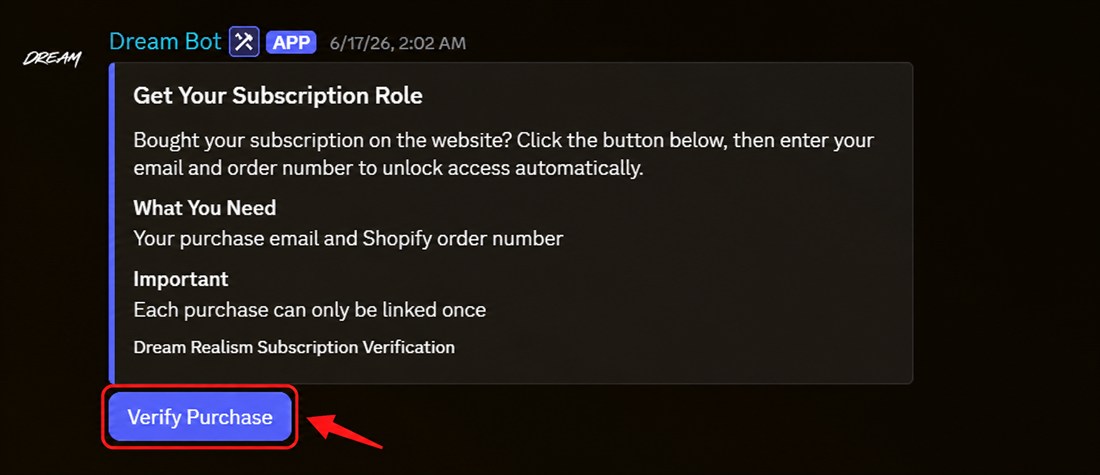
On the Dream Realism Discord server, open the verification channel. Find the message posted by Dream Bot, then click the blue “Verify Purchase” button marked in red.
Open verification channel Continue in Discord
Verify your purchase
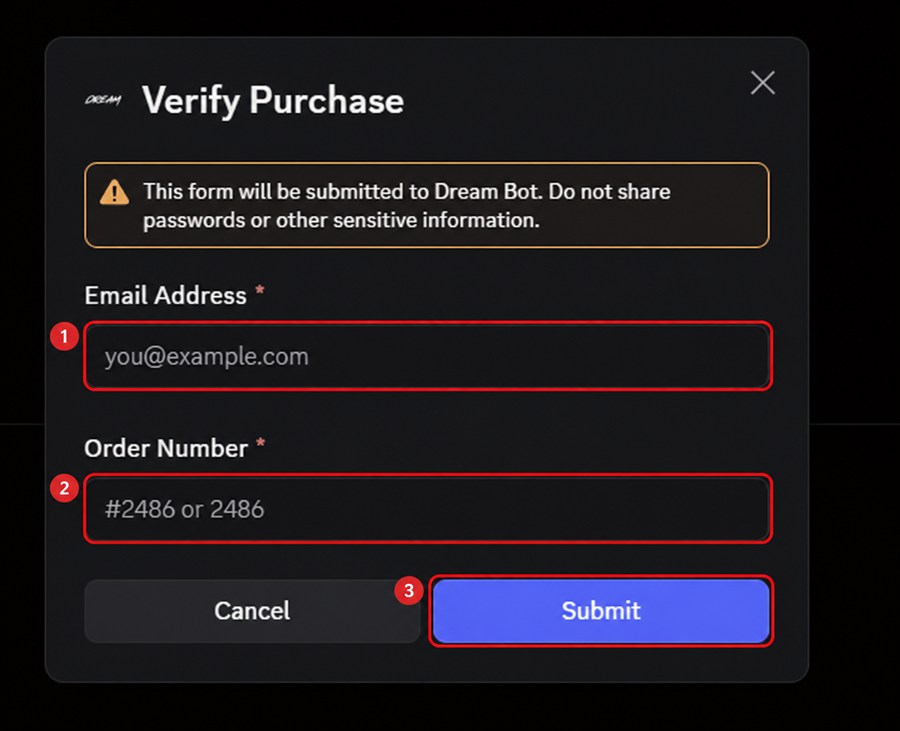
First enter the email address you used at checkout on our website. Then enter the short 4-digit order number beginning with #, for example #2486, and click “Submit.” Dream Bot checks both details and adds your Discord role automatically.
Your Discord role is active. Open the Downloads page and connect the same Discord account to receive your license key, download your files, and continue with the installation.
Open Downloads